The tag system in WAMM.chat allows you to structure workflows and optimize client base management. Tags are short labels that can be added to any chat for categorization and quick search.
Multiple tags can be assigned to each conversation, enabling you to classify chats by various parameters: request type, processing status, responsible department, or priority.
Business Benefits of Using Tags
- Faster search for relevant conversations in a large client base
- Structuring the client base by segments and categories
- Simplified analytics by request types
- Organization of workflows between company departments
- Prioritization of client inquiries
How to Use Tags in Daily Work
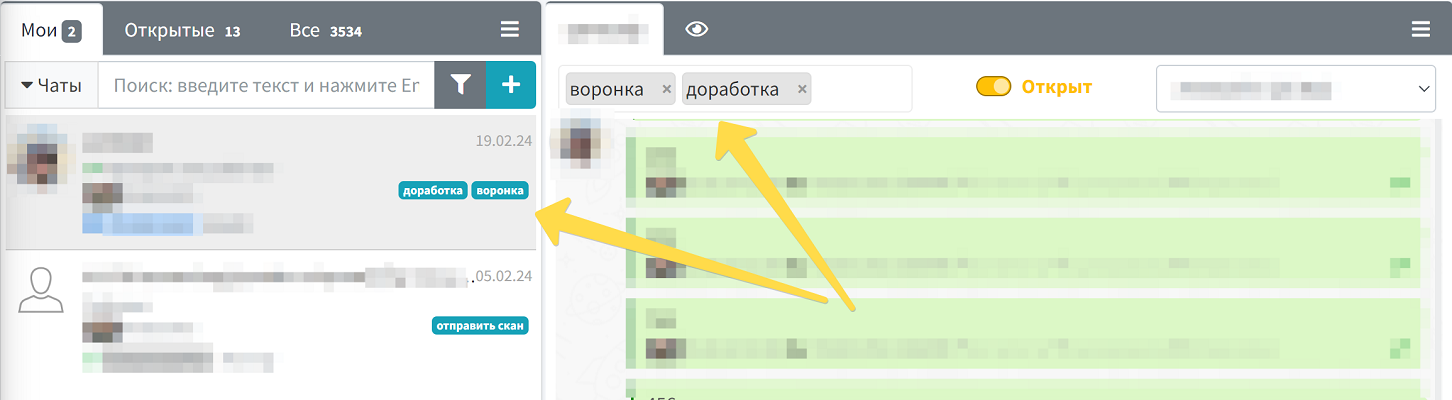
To add a tag, open the desired chat and find the "Tags" section in the upper left corner of the conversation window. Enter the text for the new tag and press Enter. The system will also suggest selecting from existing tags, which helps maintain a consistent chat labeling standard within the company.
To remove a tag, simply click the cross next to it in the open conversation window. Tags remain available for selection in the system as long as at least one chat has that label.
Added tags are automatically displayed in the chat list, allowing you to instantly identify the type of inquiry or its status without needing to open each conversation.
Tag Management
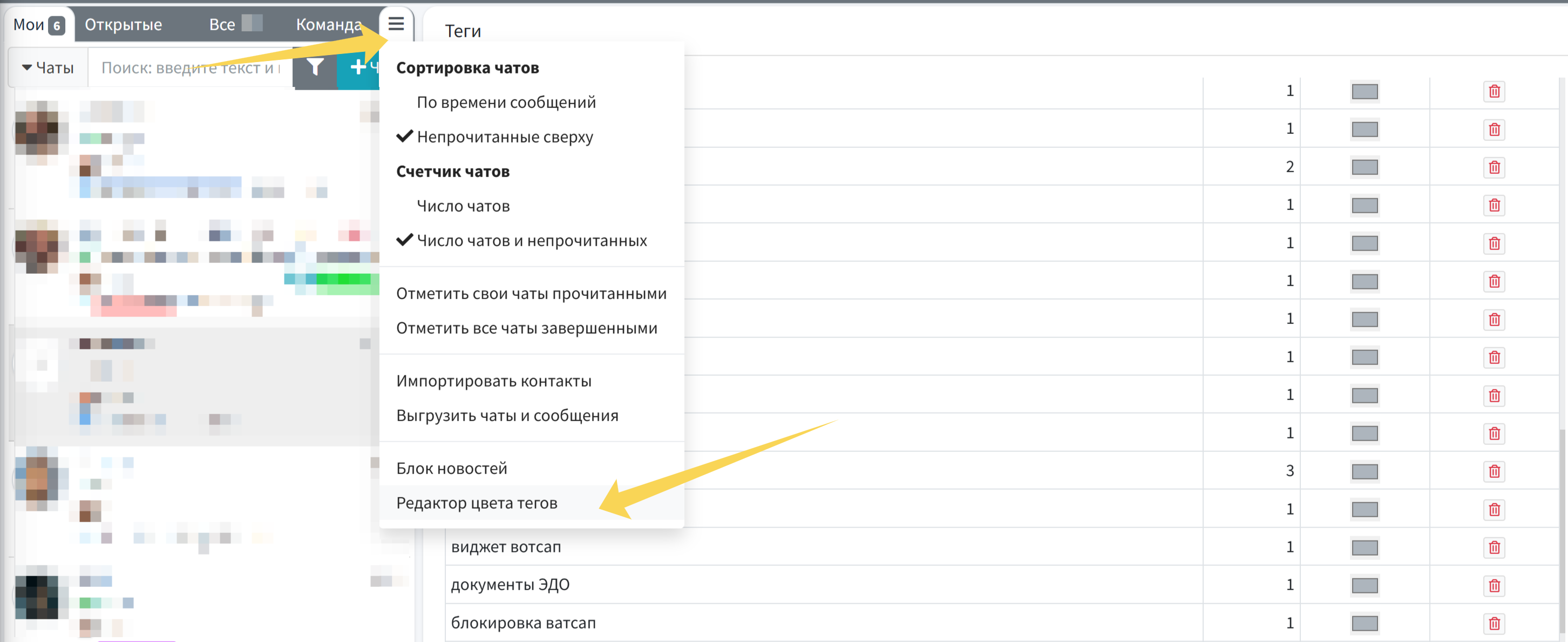
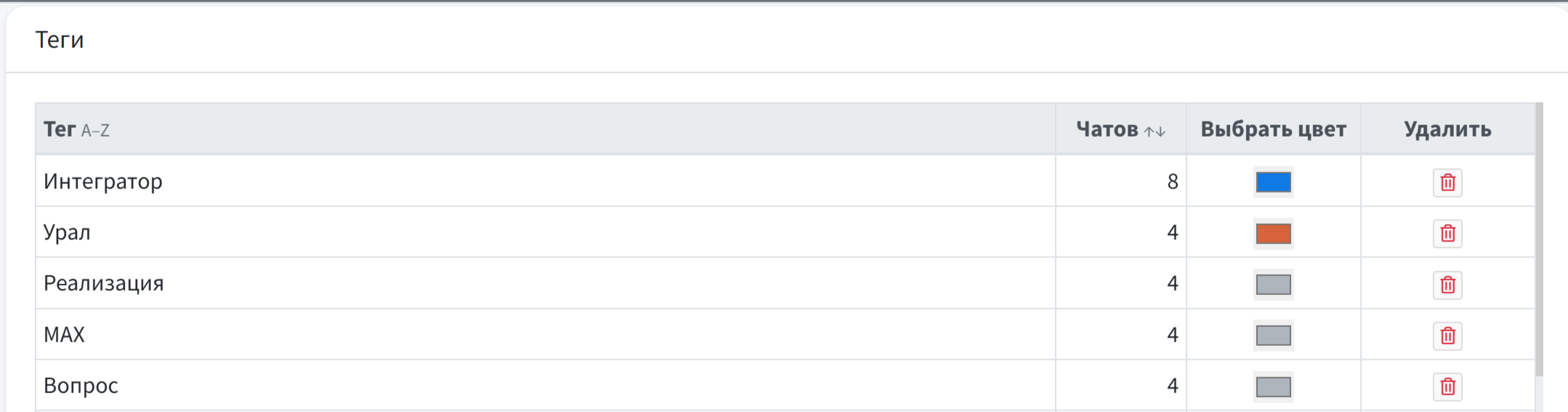
You can also assign a unique color to tags and manage them from a single list. You can filter all chats with a selected tag by clicking on its name, and you can also delete all specified tags at once. This functionality is available in the additional chat list menu > Tag Color Editor.
Mass deletion of tags and changing their color are available to Account Administrators; users can only view the list of all tags.
Practical Use Cases for Tags
In Customer Support:
- Marking urgent inquiries with the "Urgent" tag
- Categorization by problem types: "Technical Issue", "Billing Question", "Consultation"
- Status tracking: "In Progress", "Awaiting Client Response", "Resolved"
In Sales Department:
- Client segmentation: "VIP", "New Client", "Potential"
- Deal stage marking: "Negotiations", "Approval", "Closed"
- Tracking client interests: "Interested in Product A", "Price Request"
The tag system is integrated with the Chat Filter, allowing you to quickly display all conversations with specific tags. This is especially useful when working with a large number of active conversations.
To automate business processes, you can also use the WAMM.chat API for programmatic tag management and retrieving lists of chats with specific labels.