To send a message, select the desired contact from the chat list or add a new contact (the blue "+" button above the chat list). In the dialog box that opens, there is a text input field at the bottom. You can send a text message, file, or voice message. To start a new line, press CTRL+Enter; to send a message, press Enter or click the send button.
The user who sends a message in the chat becomes responsible for the chat.
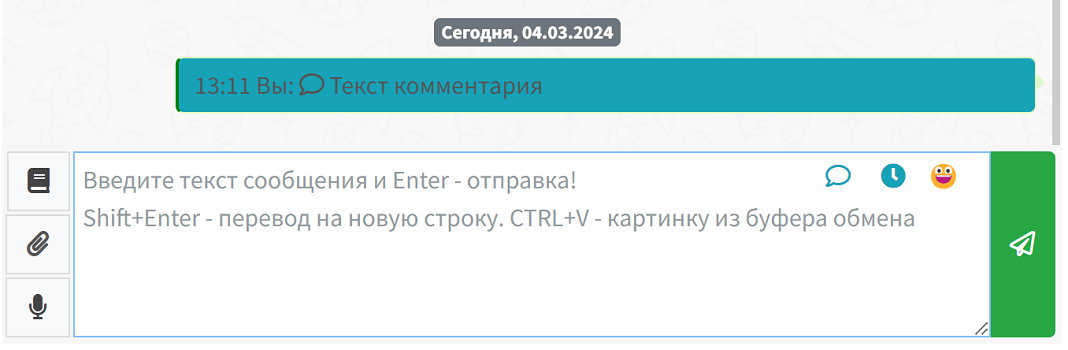
To send messages, you must have a messenger connected to WAMM, and the connection must be active and authorized. If the channel of the selected chat is not active, the message input field will also be inactive. How to connect a messenger is described in the sections WhatsApp, Telegram, Telegram bot.
If you were typing a message and switched to another chat or another page of the program, upon returning to the chat, the message text will be restored, and you can continue typing or sending it.
You can send screenshots from the clipboard in the chat. To do this, click on the text input field and press CTRL + V; the program will ask for confirmation to send the screenshot.
To send a file, use the button with a paperclip icon to the left of the text input field. Files can be attached to a message not only via the paperclip button but also by dragging them directly into the chat window, similar to web versions of messengers.
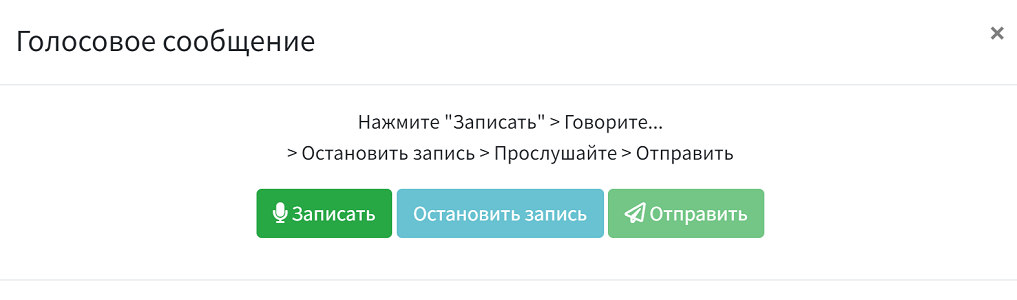
To send voice messages, click the microphone icon button, record the message in the window that opens, and send it. There is an option to preview the message before sending.
Typing simulation. When sending a message from WAMM, a "typing..." indicator is displayed on the client side for WhatsApp, MAX Personal, and Telegram Personal. This reduces the risk of blocks during active correspondence when messages are sent too quickly in succession.
To save time and avoid manually typing repetitive text each time, use templates (the book icon button). Learn more about templates in the Templates section.
You can also schedule a message to be sent at a specific time using the Scheduled Messages feature.