You can connect your existing Telegram as a communication channel. It will allow you to receive messages from Telegram users and reply with messages, send files, images, and voice messages. It will also allow you to initiate conversations in Telegram by phone number.
In addition to the phone-number-based Telegram, you can connect a Telegram Bot as a communication channel.
Connecting Telegram
- Before connecting, you need to go to Telegram's Privacy Settings on your mobile device, disable passwords (passcode, cloud password, etc.), and make your phone number visible to Everyone. After connecting to our program, restore all settings to their original state.
- Go to the Settings section, click the "Add communication channel" button, and select "Telegram". In the window that appears, click "Add", enter your phone number in international format in the "Phone number in Telegram" field, and click "Send". Within approximately 15 seconds, a connection will be created - a Telegram channel with the status wait_code, meaning the connection is ready but not established and is waiting for a code to complete the connection.
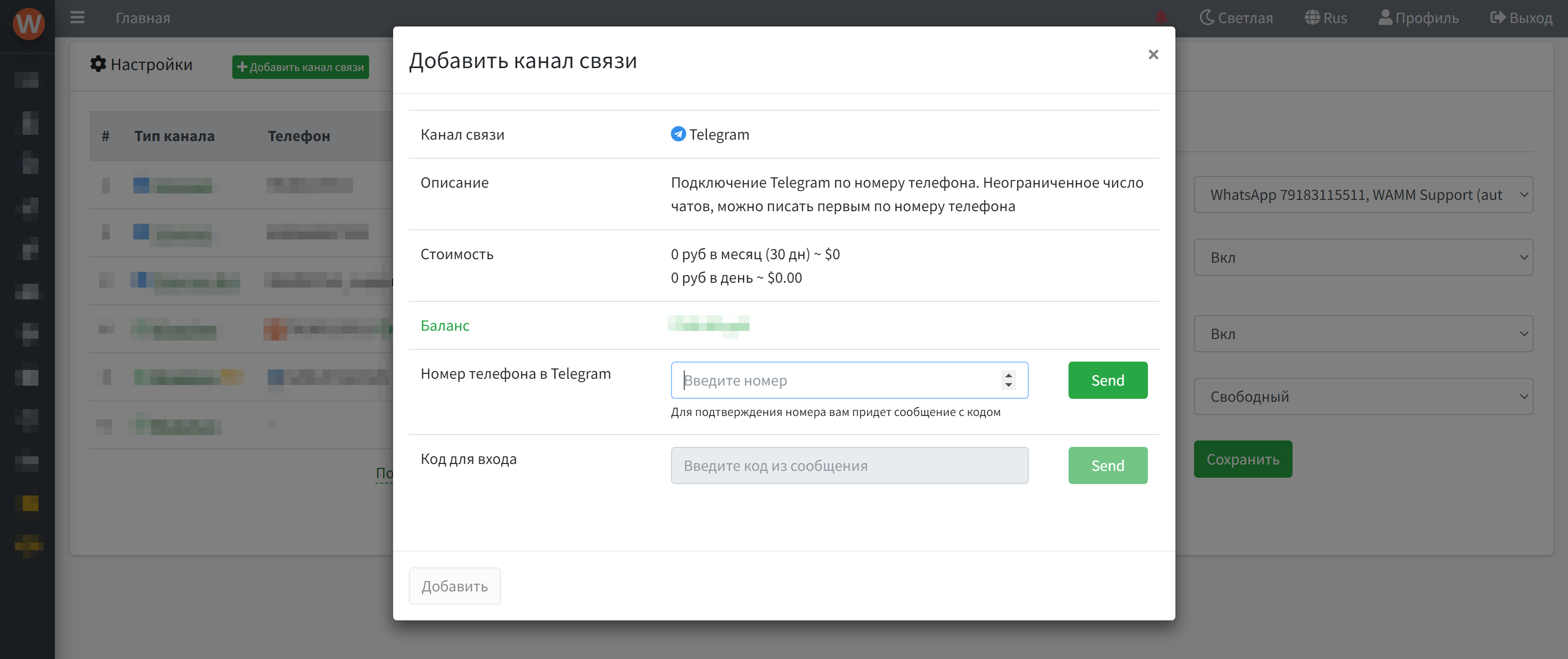
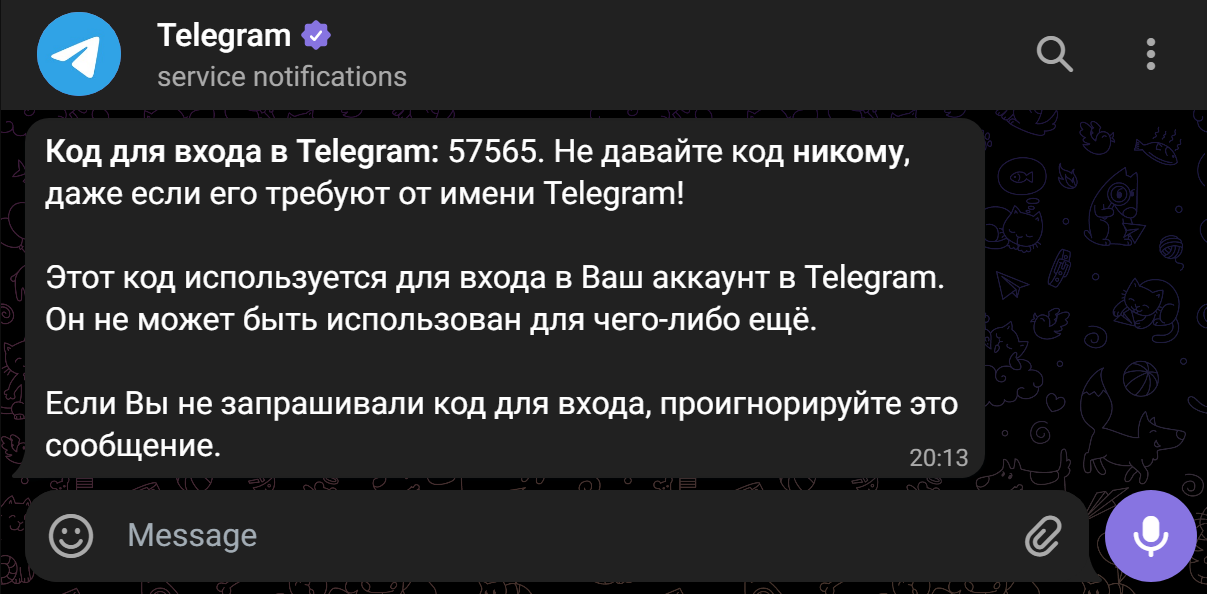
- You will receive a message with a code in Telegram. Enter it in the "Code for login" field and click "Send". That's it, the connection is established.
Telegram Features
- Telegram in our program has a file size limit of no more than 50 MB.
- It is not recommended to create and immediately send messages to more than 3 new contacts per minute, as this risks a block from Telegram.
- When connecting or reconnecting Telegram, the chat history from the previous period is automatically loaded (up to the last 50 chats, up to 20 messages from these chats).
- You can connect 1 or more Telegram channels, and users can work with all channels, or you can restrict their access.
- You can receive delivery and read statuses for sent messages.
- You can send bulk messages by phone number, nickname, or chat_id.
- You can send messages via API and receive messages via Webhook.
- Message reactions - displayed under messages and sent to API/webhooks in real-time.
- Message deletion - you can delete messages sent from WAMM, including scheduled ones. Deletion works for both phone-number-based Telegram and Telegram Bot.
- Search by number and nickname. In WAMM's general search, Telegram chats are found not only by chat_id and contact name but also by saved phone number and nickname.
- Auto-update of chat names - names and numbers are updated automatically based on events from Telegram.
- New non-delivery status STOP SPAM - appears if Telegram explicitly starts limiting sending from your number.